01
From playlist to queue. Effortlessly.
Load your M3U playlist, filter titles and choose what to download. Switch between your playlist and download queue.
Turn your M3U playlists into a library that makes sense. Choose your titles, organize your series and take control of every download.
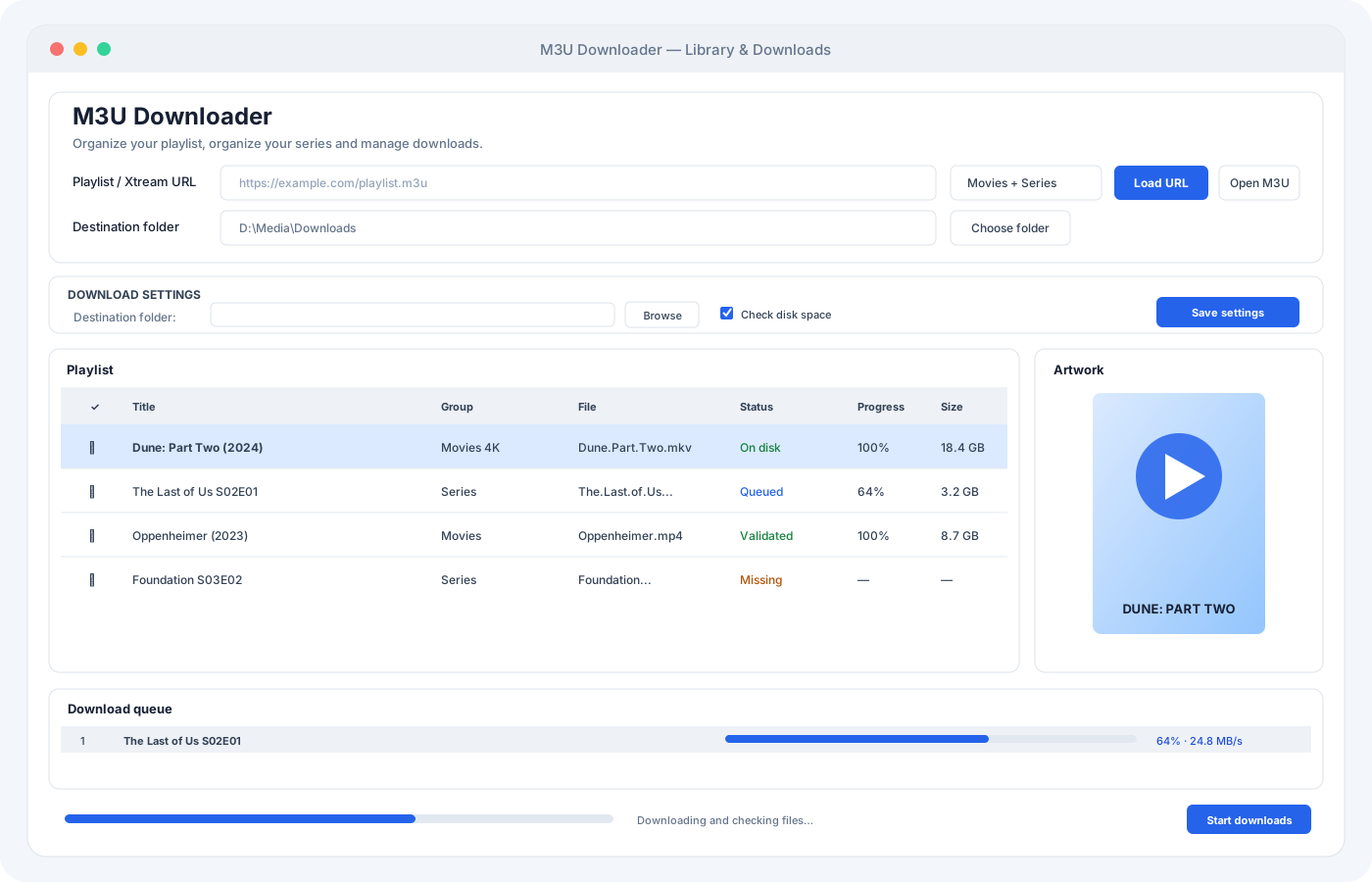
Practical tools for managing movies and series across files, folders and playlists.
Load your M3U playlist, filter titles and choose what to download. Switch between your playlist and download queue.
Repeated URLs and matching movie or episode titles are filtered when you add items to the queue.
New episodes are saved in a folder for each series, with filenames ready for Windows.
Track progress, resume transfers when supported by the server and check the received file size when complete.
Set a download speed limit, choose your user agent, and configure your destination folder and schedule.
Check account status and available disk space before each file, with an extra safety margin.
M3U Downloader Pro brings your playlist, series folders and download queue together in one Windows application.
Import your M3U and explore the available movies and series.
Search your playlist and choose the movies or episodes you want to download.
Track progress and save each episode in its series folder.
Our Series S01E01.mp4 ✓
Our Series S01E02.mp4 ✓
Our Series S01E03.mp4 ✓
With an additional 100 MB reserve.
M3U Downloader Pro for up to three computers, with a lifetime license.
One-time payment · no subscription
STRIPE TEST MODE · No real money is charged. Use Stripe test details, not a real card. This demo does not automatically deliver a license.
A lifetime M3U Downloader Pro license for up to three computers. It is a Windows application for organizing M3U playlists and managing downloads.
Your purchase includes the software only. Bring your own playlist and use content you are authorized to access.
The checkout on this page currently simulates a payment. For a real license, contact [email protected]. License delivery is currently handled manually after payment is confirmed.
One license allows activation on up to three computers. Contact support if you need to move an activation to another computer.
The purchase button opens Stripe in test mode. It lets you test the payment flow without paying. Real sales will be enabled after the live checkout and license delivery are configured.